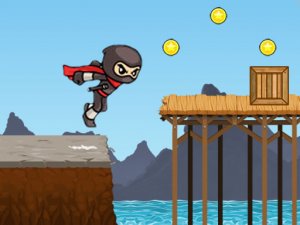
Alex World Adventure Platformer is a family-friendly game that invites players into a colorful and cheerful world. The core objective is to guide the character Alex through a series of levels, collecting coins and potions while avoiding or overcoming obstacles. Designed to be accessible for all ages, the game emphasizes exploration and careful timing. Its bright visuals and positive tone create a safe and engaging environment for both children and adults. The game is available on mobile and tablet devices, making it easy to play on the go.
Players control Alex using keyboard keys on a computer, or on-screen touch controls on mobile devices. The main actions include moving left or right, jumping, and occasionally using a special item after collecting a power-up. To overcome certain enemies, players can jump on top of them, but should avoid head-on collisions which cost a life. Coins are collected from open areas or by hitting question mark bricks to increase the score. Potions provide power-ups like growing bigger or gaining extra lives. Each level must be completed before a timer runs out by reaching the flag at the end.
This platformer includes responsive controls suitable for both keyboard and touch input. Levels are filled with collectible coins and potions that grant power-ups or extra lives. A gentle time limit adds challenge without being overwhelming. The game features family-friendly graphics with no violent content, making it appropriate for players of all ages. Multiple levels offer increasing difficulty, and the game is optimized for mobile and tablet devices. The overall experience is designed for short gaming sessions or extended family playtime.
Practice the timing of jumps to land safely on enemies and avoid hazards. Explore each level thoroughly to find hidden coins and potions. Manage your lives carefully by avoiding unnecessary risks. Keep an eye on the timer and plan your route to reach the flag before time runs out. Use power-ups strategically, especially when facing tougher sections. Regular practice will help you learn enemy patterns and level layouts, making progress smoother.









Player Comments
Sign in to comment
You must be logged in before posting a review or rating.
No account? Create one
No comments yet. Be the first to comment!