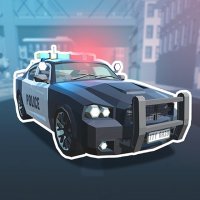
City Patrol Driving Game

Patrol Driving
Developer: Quantum Creations
Published: 2024-02-21
Updated: 2026-07-17

Reviews

City Patrol Driving Game offers a family-friendly driving experience with a focus on exploration and task completion. The city environment is lively, and the mix of racing and stunts keeps gameplay engaging. Controls are simple, making it easy for beginners to start. The game runs smoothly on multiple devices, and the absence of violent content ensures a safe experience for younger players.

Description

Game Introduction

City Patrol Driving Game puts you behind the wheel in a vibrant urban setting. Your main goal is to drive around, discover streets, and finish various driving assignments. This game mixes racing and stunt elements, letting you gather coins and perform jumps. It is made to be safe for all ages, with no violent or unsuitable material, so it is great for players young and old. The city is full of mission points that lead you to new activities, making each play session different from the last.

How to Play

To play, you control your vehicle using standard keyboard keys. You can drive around the city to find mission points. Interact with these points to start tasks, which might include racing through streets to collect coins or performing stunts by driving off ramps. You can change the camera view for better angles and use controls to slow down or exit your vehicle. The game supports full screen mode for a more engaging experience. These simple controls make it easy for anyone to start playing quickly.

Game Features

The game includes a city environment with various driving tasks. It has racing missions where you gather coins and stunt challenges that involve jumps. The game runs on WebGL technology, ensuring smooth performance on computers, phones, and tablets. It offers camera view options and full screen mode. The controls are straightforward, making the game accessible to young players and beginners. The family-friendly design ensures a safe experience for all ages.

Tips for Success

To succeed, practice driving and maneuvering to improve your control. Explore the city thoroughly to find all mission points, as each task offers a different challenge. Use the camera view options to find the best angle for tricky stunts or races. When performing jumps, try to maintain speed and balance for a smooth landing. Collect as many coins as possible during races to maximize your score. Regular practice will help you master the controls and complete tasks more efficiently.
Compatibility

๐Ÿ’ป Desktop | ๐Ÿ“ฑ Mobile | ๐Ÿ“Ÿ Tablet
โ€“ All supported ยท Best with Chrome or Safari
Faq
Can I play City Patrol Driving Game on my mobile device?
Yes, the game uses WebGL technology, so it works on computers, phones, and tablets. You can play it directly in your web browser without downloading any software.
Is there a way to track my progress in the game?
The game uses mission points that guide you to new tasks. Completing these missions may unlock further challenges, but the input does not specify a detailed progress tracker. Players can keep track of their coin collection as a measure of success.
What happens if I crash my vehicle during a stunt?
Crashing may reset your position or reduce your score. The game encourages careful driving and practice to perform stunts smoothly. There is no violent content, so crashes are handled in a family-friendly way.
Are there different types of vehicles to drive in the game?
The input does not specify multiple vehicle types. The game focuses on driving a standard vehicle through the city. Some similar games may include different cars, but this is not confirmed for City Patrol Driving Game.
Can I play with friends or other players online?
The input does not mention multiplayer features. City Patrol Driving Game appears to be a single-player experience where you explore the city and complete tasks on your own.
How do I change the camera view while driving?
You can use the camera view options available in the game controls. This allows you to switch angles for better visibility during stunts or races. The exact key or button is not specified, but it is typically easy to access.
Advertisement